
Thinking about building an app for your business but not sure where to start? This guide explains how to make a mobile app step by step, from the first idea to publishing on the App Store and Google Play, and what you need at each stage.
These are the same steps we have followed at Tocaan since 2017 across more than 350 apps for clients in Kuwait and the GCC.
What do you need before you start?
Before writing a single line of code, get clear answers to four questions:
- What problem does the app solve? Write it in one sentence.
- Who is the user? A customer ordering a service, an employee inside your company, or both?
- What are the core features? Start with the essentials and add more later.
- Which platforms? iOS, Android or both, usually with an admin dashboard.
Steps to build a mobile app
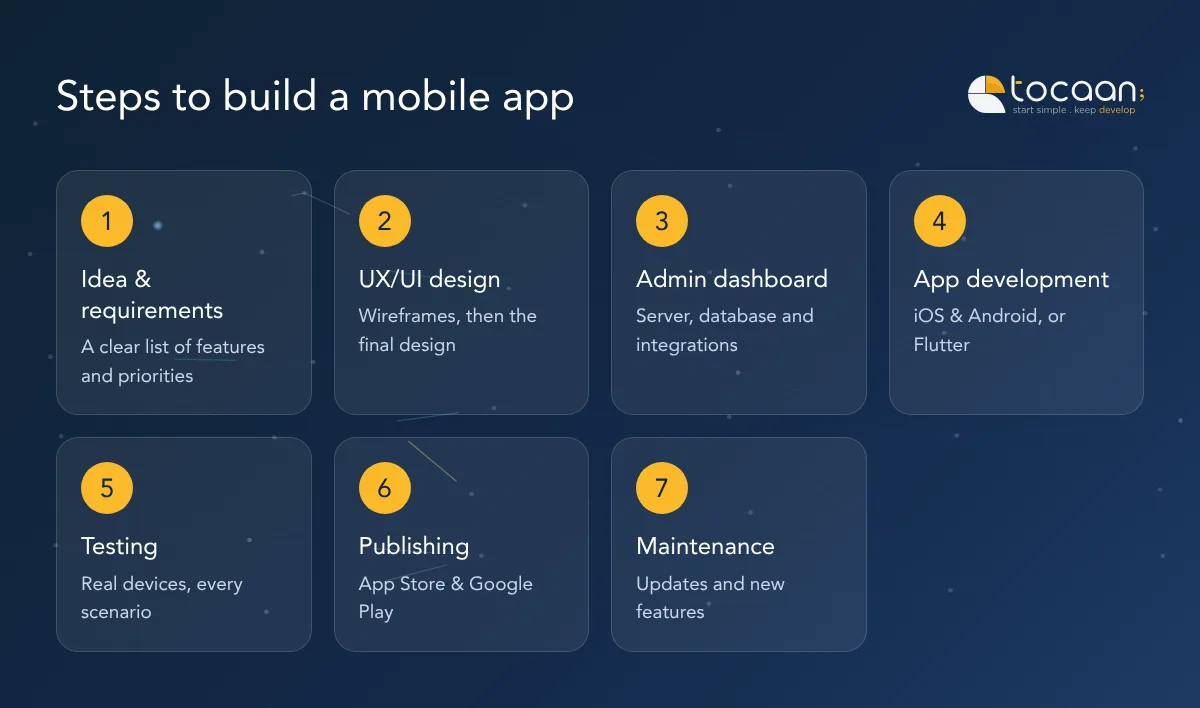
1. Define the idea and requirements
We turn the idea into a clear list of features and priorities. The result is a simple requirements document everyone agrees on before design starts.
2. Design the user experience and interface (UX/UI)
We start with wireframes that map the user journey, then move to the final design with your colours, fonts and brand. The most popular tool for this today is Figma.
Good design means fewer changes during development, which saves both time and cost.
3. Build the admin dashboard and server (backend)
The dashboard is where you manage content, orders and users. It is usually built with PHP (Laravel) or Node.js and a database such as MySQL.
This is also where payment gateways, notifications and any other systems you use are connected.
4. Develop the app (iOS and Android)
You have two options:
- Native development: Swift for iPhone apps and Kotlin for Android apps.
- Cross-platform development: with Flutter, the code is written once and runs on both platforms. It is the best fit for most projects.
5. Testing
We test every screen and scenario on real devices: sign-up, payments, notifications, speed and weak connections. The goal is an app that reaches users without bugs.
6. Publish on the stores
We prepare the app’s listing on the App Store and Google Play, including the name, description, screenshots and keywords, then submit it for review until it goes live.
7. Maintenance and ongoing development
Launch is only the beginning. Your app needs updates for new operating systems, bug fixes and new features based on user feedback.
Build it yourself or work with an app company?
Each step above is its own specialism: designer, front-end developer, back-end developer and QA tester. That is why most business owners work with an app development company that has a full team, and focus their own time on running the business, marketing and sales.
| Yourself or a freelancer | Specialised company | |
|---|---|---|
| Team | One person for every task | Designer, developers and tester |
| Timeline | Usually longer | Clear schedule |
| Support after launch | Not guaranteed | Maintenance and updates |
How much does an app cost and how long does it take?
There is no fixed price. Cost and timeline depend on the number of screens and features, the platforms you need and integrations with other systems. Tell us about your idea and we will send a detailed quote.
Frequently asked questions
Do I need an admin dashboard for my app?
In most cases, yes. The dashboard lets you add products or services and track orders without going back to the developer.
Is Flutter better than native development?
For most business apps, Flutter saves time and cost with excellent quality. Native development is preferred for special cases that need very high performance or specific system features.
Can the app be published under my company’s name?
Yes, and we recommend it. We help you create developer accounts with Apple and Google in your company’s name and publish the app there.
Ready to start your app? Contact us for a free consultation and a clear quote.